
Acidbox Cassette Deck
1971 Technics cassette deck with machine generated music, internet radio & RGB graphics
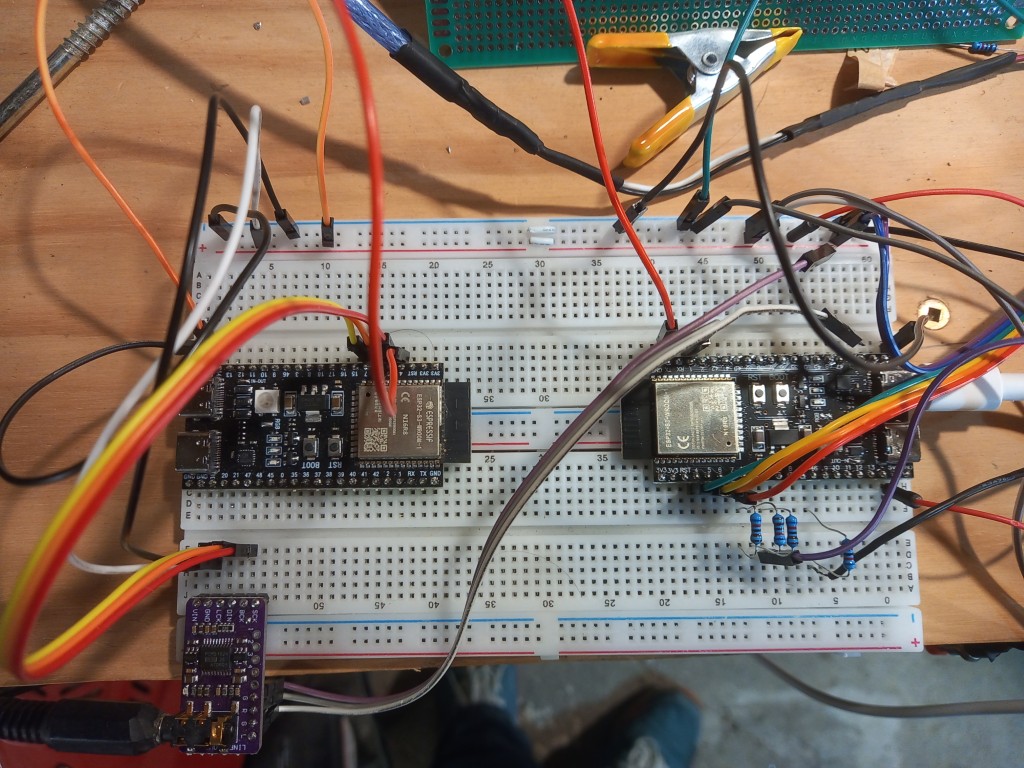
This project takes a 1971 Technics RS-273US cassette deck and removes almost all the electronics and replaces it with more modern tech. At the heart is an ESP32 S3 board that generates music using AcidBox - an ESP32 headless acid combo of Roland TB303 + TB303 + TR808 like synthesizers. A second ESP32 S3 board analyses the audio and displays the graphics and sends MIDI commands to the AcidBox.
Update: the AcidBox firmware now also has an internet streaming mode, so the deck can run as a standalone Wi-Fi radio box as well as a synth/drum machine.
It outputs a stereo audio signal in CD quality. Apologies for the quality of the audio. I think it was compressed too much when uploading to YouTube. The original audio is much better. I may need to record it again.
What was done
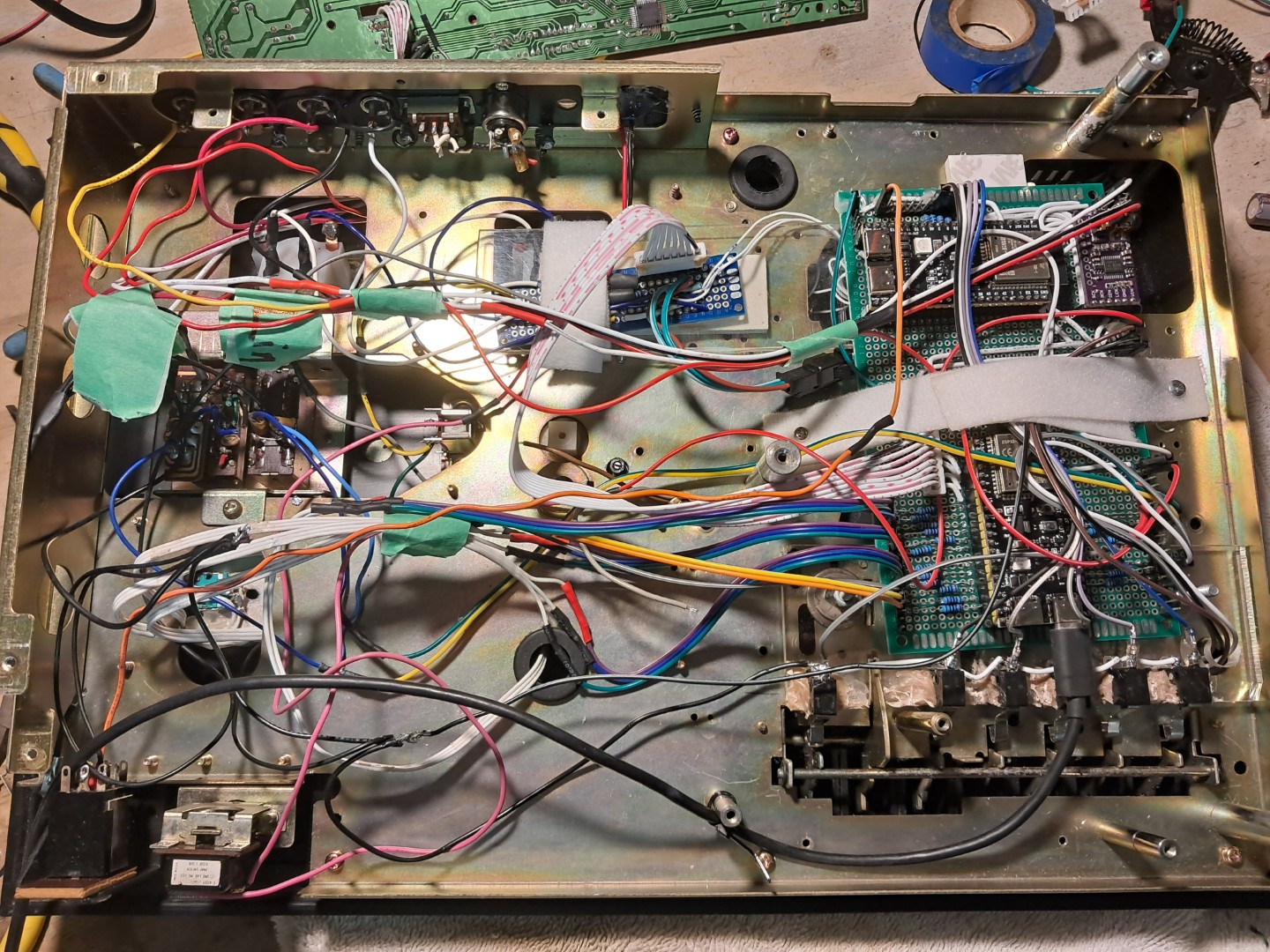
- Two ESP32 S3 and a single DAC board were added.
- The original motor has been removed. All gears and belts have been removed.
- The potentiometers have been replaced with rotary encoders.
- All cassette deck controls mechanisms were removed and microswitches installed.
- A 12x4 RGB matrix has been added inside the cassette slot. An opaque plastic sheet has been added to the front of the cassette slot to diffuse the light.
- The original VU meters have been retained and are driven by the ESP32 S3 board via 18K resistors.
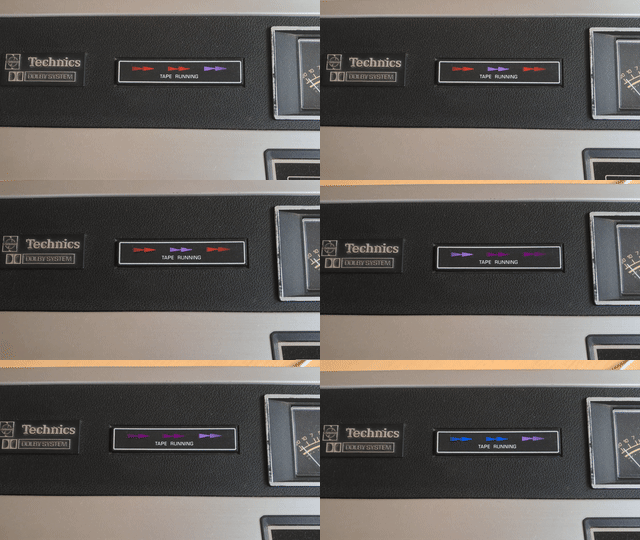
- RGB LEDs have been added into the display behind the arrow lights.
- RGB LEDs have been added into the analog VU meters.
- An OLED has been added inside to show the MIDI effects that are being applied to the music.
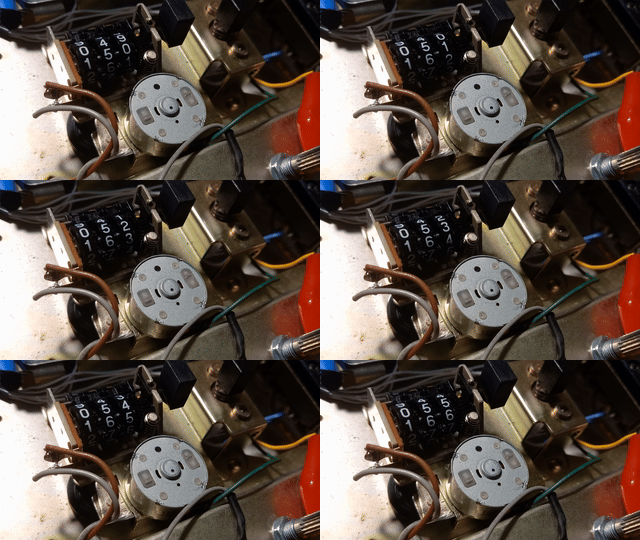
- A small motor from a CD drive has been added to make the cassette counter spin.
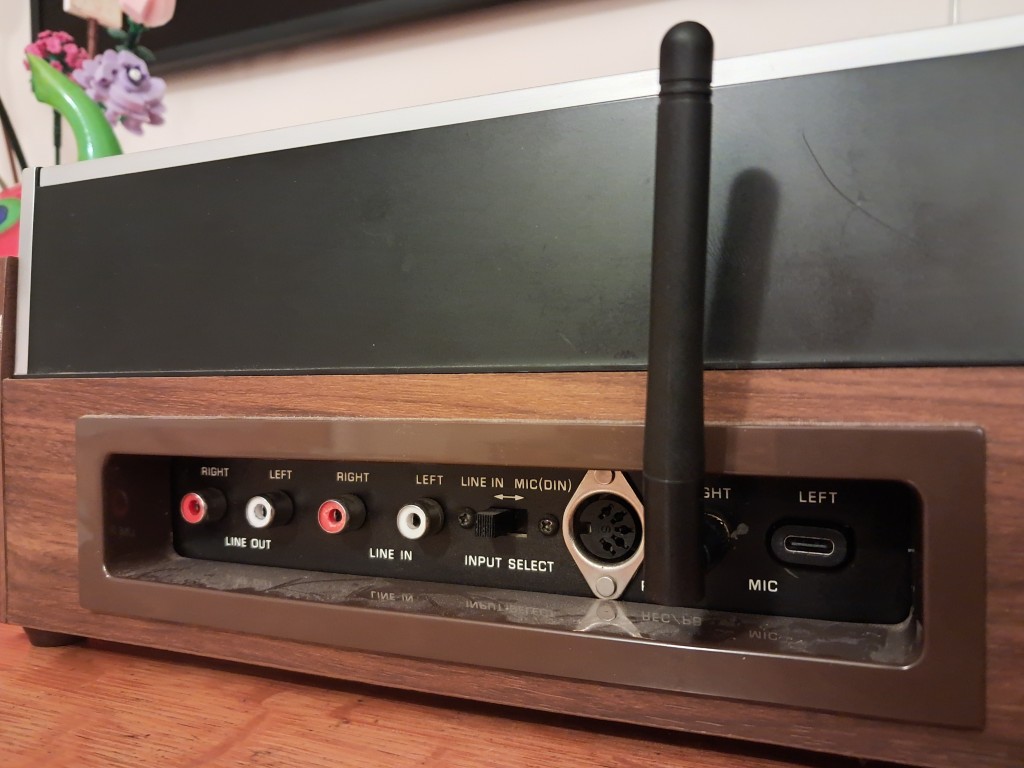
- The unit is powered by a USB-C power supply. A USB-C plug has been added to the back of the unit to allow for easy power connection.
- The line-out plugs are used to provide audio out to a stereo system.
- The line-in plugs are used to provide audio in to render VU meters of incoming audio. The switch between the VU meters is used to determine which audio source to use. This is used to render your own music on the cassette deck graphics and VU meter.
- Internet streaming mode was added to the AcidBox firmware. On first boot in streaming mode, it opens a Wi-Fi setup portal, then starts internet radio playback through the same I2S DAC audio path.
Synth and radio controls
Demo
How it works
There are two ESP32 S3 boards:
-
One ESP32 generates music using AcidBox. In addition, it receives MIDI commands from a serial pin and polls the cassette buttons to control the synthesizers and volume. The code is here: https://github.com/andyvans/AcidBox
-
One ESP32 analyses the audio using FFT and displays the results on an 12x4 RGB matrix. It processes the buttons and rotary encoders for MIDI message control. Lastly, it controls LEDS, OLEDs, original and analog VU meters. The code is here: https://github.com/andyvans/tapedeck-midi-acidbox.
AcidBox now supports two boot modes selected by a hardware pin:
- AcidBox mode: the original dual-303 + 808-style engine (MIDI/Jukebox driven).
- Streaming mode: internet radio player mode with Wi-Fi onboarding and station playback.
If the mode-select pin changes while running, the ESP32 restarts and boots into the new mode.
Internet Streaming Capabilities
- Wi-Fi onboarding uses a captive portal (
AcidBox-Streamer-Setup) when credentials are missing. - Stations are loaded from an online
radio-config.txtfile at startup. - If remote config is unavailable, it falls back to built-in stations (including Rinse FM UK and Radio Swiss Jazz).
- MP3 streams are supported by default.
- AAC/AAC+ streams are enabled when PSRAM is available (ESP32-S3 recommended).
- Startup channel and volume are set from config.
- Channel up/down selection uses cassette button inputs and applies a short delayed change so quick presses are easy to manage.
radio-config.txt format:
- First line: default channel index (0-based)
- Second line: startup volume (
0.0to1.0) - Remaining lines:
stream_url, station_name
Example:
0
0.7
https://admin.stream.rinse.fm/proxy/rinse_uk/stream, Rinse FM UK
http://stream.srg-ssr.ch/srgssr/rsj/mp3/128, Radio Swiss Jazz
Controls
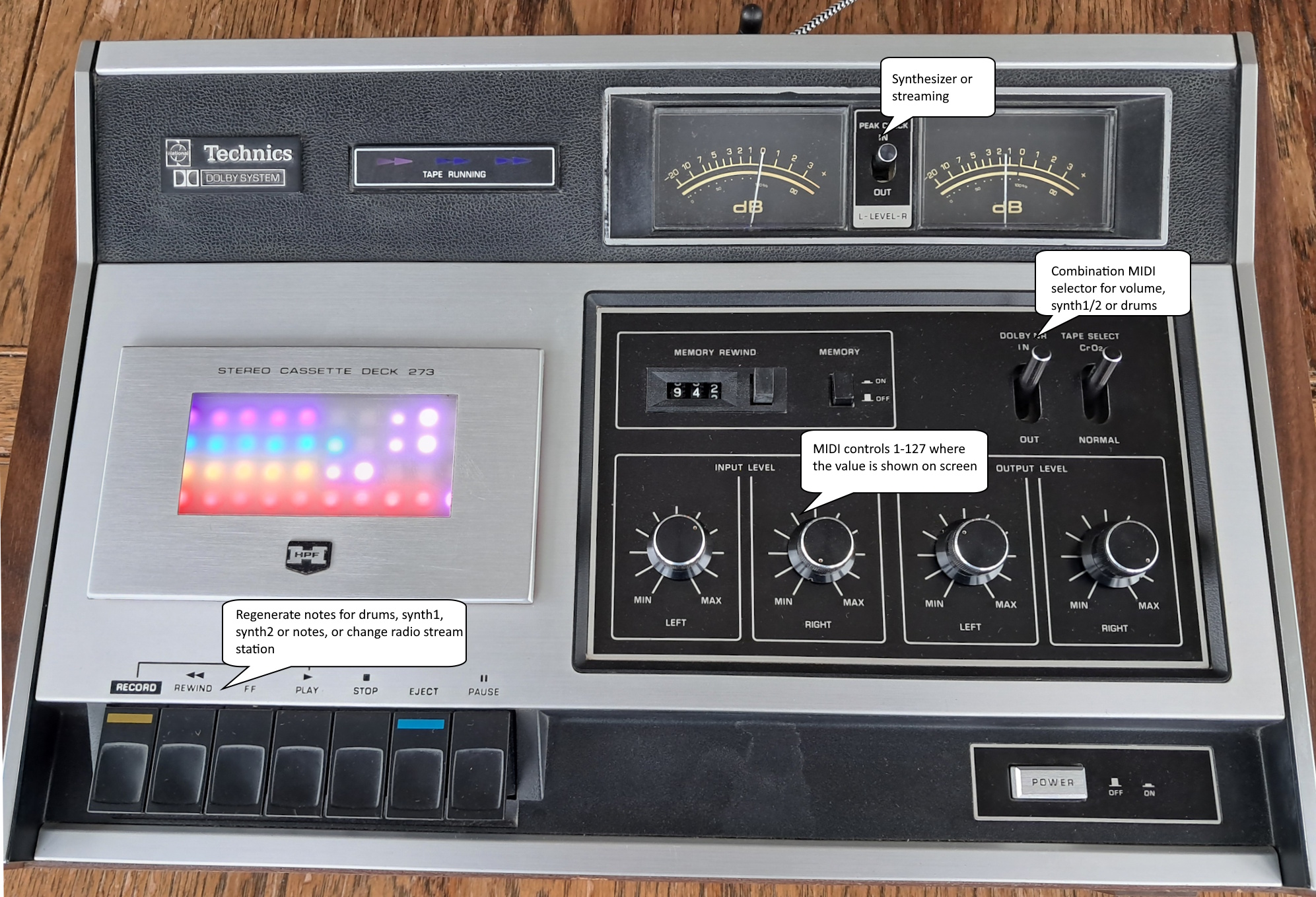
- The cassette deck buttons (play, stop, pause, rewind, fast forward, record) now trigger microswitches. These changes the MIDI sequence being played.
- Color themes drive the colours of the RGB LEDs. This is controlled by the button of a rotary encoder.
- The rotary encoders change the music sequences by sending MIDI messages to control the synthesizers.
- The MIDI changes are displayed on the OLED.
- The VU meters show the audio levels of the incoming audio from the synthesizers.
- The input switch determines which audio source to use for the VU meters.
- In streaming mode, channel up/down is mapped to cassette button inputs so stations can be changed from the deck controls.
Building it





Credits
Copych has done a really great job pulling together code from various sources to refine and create AcidBox. Phil Schatzmann has made an impressive library called Audio-Tools.